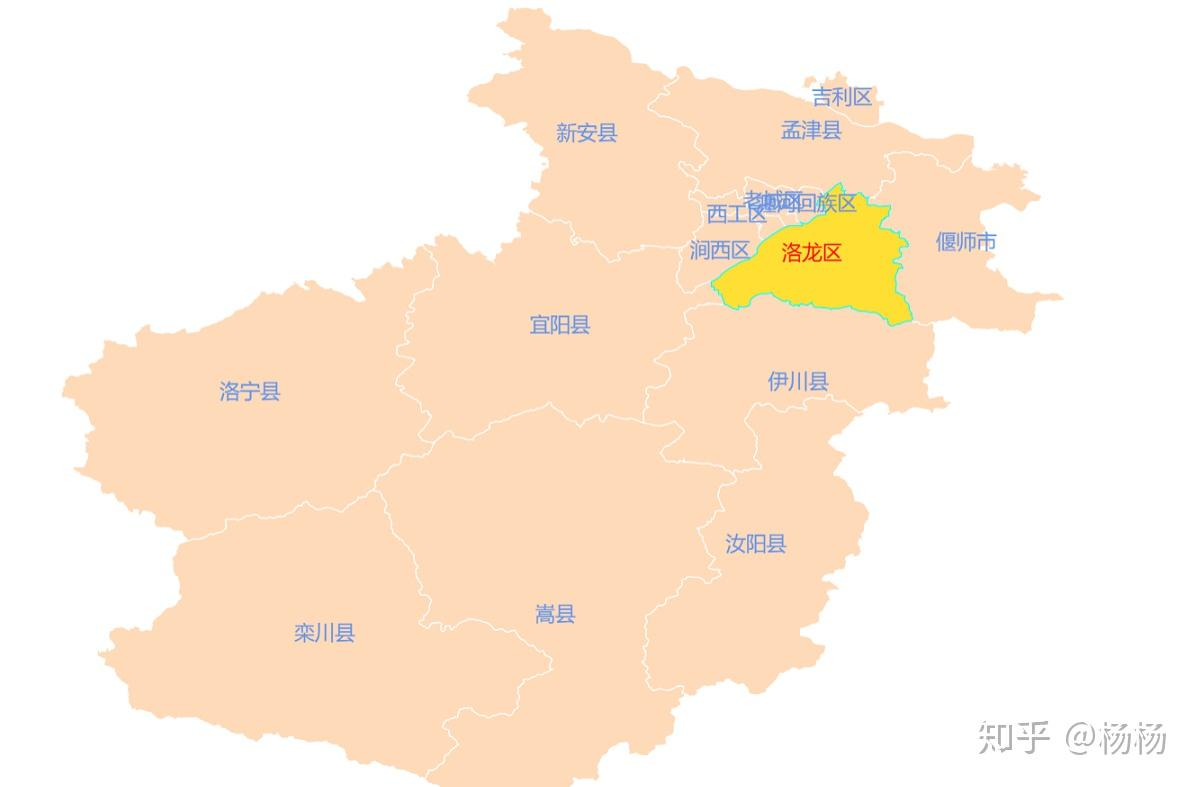
1
2
3
4
5
6
7
8
9
10
11
12
13
14
15
16
17
18
19
20
21
22
23
24
25
26
27
28
29
30
31
32
33
34
35
36
37
38
39
40
41
42
43
44
45
46
47
48
49
50
51
52
53
54
55
56
57
58
59
60
61
62
| <!DOCTYPE html>
<html lang="en">
<head>
<meta charset="UTF-8">
<title>洛阳市</title>
<script src="scripts/lib/echarts.min.js"></script>
<script src="scripts/lib/jquery.min.js"></script>
<style>
html,body,#main{
padding: 0px;
margin: 0px;
height: 100%;
overflow: hidden;
}
</style>
</head>
<body>
<div id="main"></div>
<script type="text/javascript">
$.get("https://geo.datav.aliyun.com/areas/bound/410300_full.json",function(map){
var myChart = echarts.init(document.getElementById('main'));
echarts.registerMap("luoyang",map);
var option = {
series : [ {
map : "luoyang",
type : "map",
aspectScale: 1.0,
selectedMode: 'single',
hoverable:false,
roam: true,
itemStyle: {
normal: {
borderWidth:1,
borderColor:'#ffffff',
areaColor: '#FFDAB9',
label: {
show: true,
textStyle: {
color: '#6495ED',
fontSize:18
}
}
},
emphasis: {
borderWidth:1,
borderColor:'#00ffff',
color: '#ffffff',
label: {
show: true,
textStyle: {
color: '#ff0000'
}
}
}
}
} ]
};
myChart.setOption(option);
});
</script>
</body>
</html>
|