一、普通背景模糊
代码:
1
2
3
4
5
6
7
8
9
10
11
12
13
14
15
16
17
18
19
20
21
22
23
24
25
26
27
28
29
30
31
32
33
34
35
36
37
38
39
40
41
42
43
| <head>
<Style>
html,
body {
width: 100%;
height: 100%;
}
* {
margin: 0;
padding: 0;
}
.bg {
width: 100%;
height: 100%;
position: relative;
background: url("./bg.jpg") no-repeat fixed;
background-size: cover;
box-sizing: border-box;
filter: blur(2px);
z-index: 1;
}
.content {
position: absolute;
left: 50%;
top: 50%;
transform: translate(-50%, -50%);
width: 200px;
height: 200px;
text-align: center;
z-index: 2;
}
</Style>
</head>
<body>
<div class="bg">
<div class="content">背景模糊</div>
</div>
</body>
|
效果如下所示:

这样写会使整个div的后代模糊并且还会出现白边,导致页面非常不美观,要想解决这个问题,我们可以使用伪元素,因为伪元素的模糊度不会被父元素的子代继承。
代码:
1
2
3
4
5
6
7
8
9
10
11
12
13
14
15
16
17
18
19
20
21
22
23
24
25
26
27
28
29
30
31
32
33
34
35
36
37
38
39
40
41
42
43
44
45
46
47
48
49
50
51
52
53
54
55
56
| <head>
<Style>
html,
body {
width: 100%;
height: 100%;
}
* {
margin: 0;
padding: 0;
}
.bg {
width: 100%;
height: 100%;
position: relative;
background: url("./bg.jpg") no-repeat fixed;
background-size: cover;
box-sizing: border-box;
z-index: 1;
}
.bg:after {
content: "";
width: 100%;
height: 100%;
position: absolute;
left: 0;
top: 0;
background: inherit;
filter: blur(2px);
z-index: 2;
}
.content {
position: absolute;
left: 50%;
top: 50%;
transform: translate(-50%, -50%);
width: 200px;
height: 200px;
text-align: center;
z-index: 3;
}
</Style>
</head>
<body>
<div class="bg">
<div class="content">背景模糊</div>
</div>
</body>
|
效果如下所示:

二、背景局部模糊
上一个效果会了之后,局部模糊效果就比较简单了。
代码:
1
2
3
4
5
6
7
8
9
10
11
12
13
14
15
16
17
18
19
20
21
22
23
24
25
26
27
28
29
30
31
32
33
34
35
36
37
38
39
40
41
42
43
44
45
46
47
48
49
50
51
52
53
54
55
56
57
58
59
60
61
62
63
64
65
66
67
68
| <head>
<Style>
html,
body {
width: 100%;
height: 100%;
}
* {
margin: 0;
padding: 0;
}
.bg {
width: 100%;
height: 100%;
position: relative;
background: url("./bg.jpg") no-repeat fixed;
background-size: cover;
box-sizing: border-box;
z-index: 1;
}
.content {
position: absolute;
left: 50%;
top: 50%;
transform: translate(-50%, -50%);
width: 200px;
height: 200px;
background: inherit;
z-index: 2;
}
.content:after {
content: "";
width: 100%;
height: 100%;
position: absolute;
left: 0;
top: 0;
background: inherit;
filter: blur(15px);
z-index: 3;
}
.content>div {
width: 100%;
height: 100%;
text-align: center;
line-height: 200px;
position: absolute;
left: 0;
top: 0;
z-index: 4;
}
</Style>
</head>
<body>
<div class="bg">
<div class="content">
<div>背景局部模糊</div>
</div>
</div>
</body>
|
效果如下图所示:

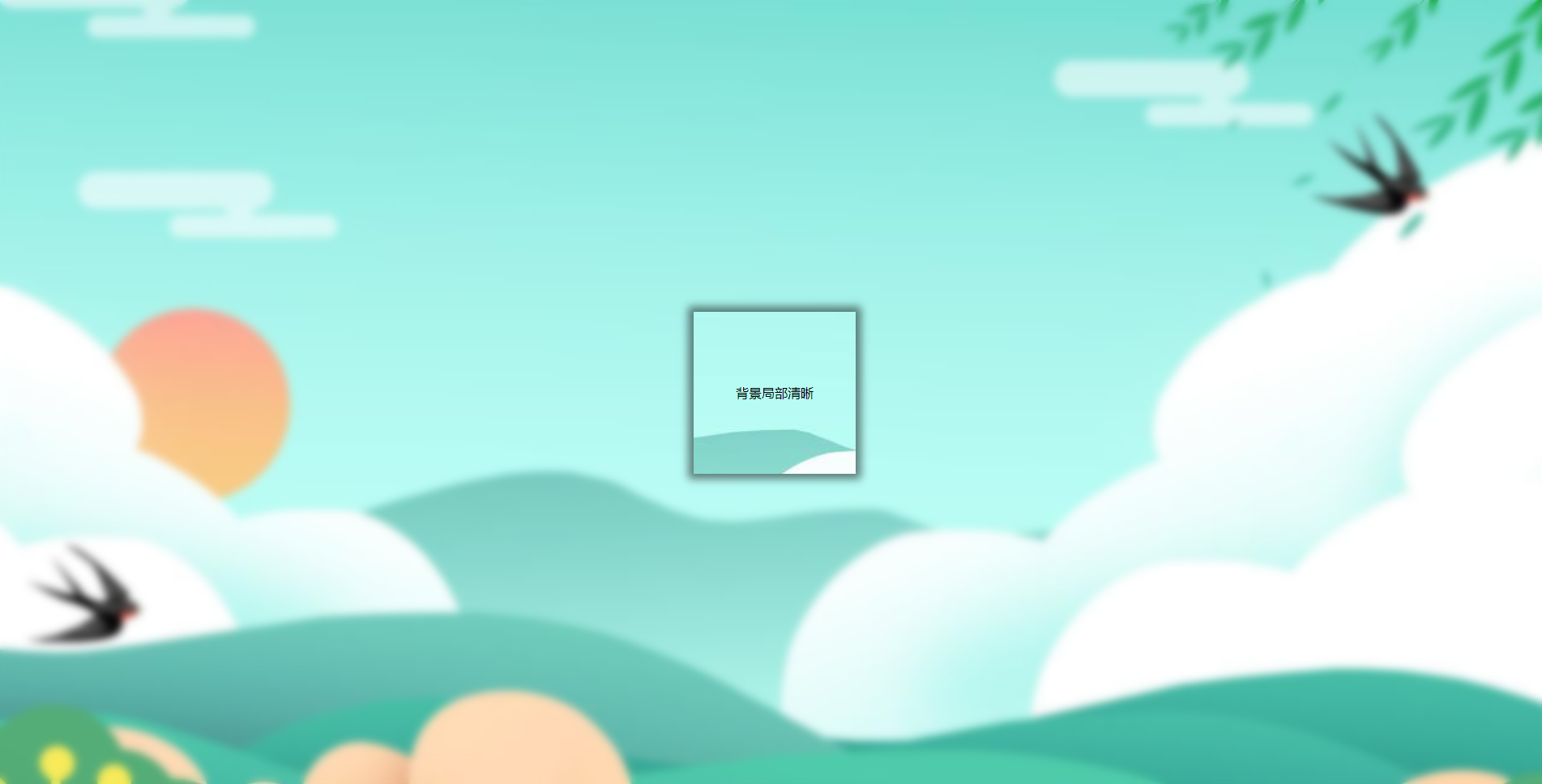
三、背景局部清晰
代码:
1
2
3
4
5
6
7
8
9
10
11
12
13
14
15
16
17
18
19
20
21
22
23
24
25
26
27
28
29
30
31
32
33
34
35
36
37
38
39
40
41
42
43
44
45
46
47
48
49
50
51
52
53
54
55
56
57
58
| <head>
<Style>
html,
body {
width: 100%;
height: 100%;
}
* {
margin: 0;
padding: 0;
}
.bg {
width: 100%;
height: 100%;
position: relative;
background: url("./bg.jpg") no-repeat fixed;
background-size: cover;
box-sizing: border-box;
z-index: 1;
}
.bg:after {
content: "";
width: 100%;
height: 100%;
position: absolute;
left: 0;
top: 0;
background: inherit;
filter: blur(5px);
z-index: 2;
}
.content {
position: absolute;
left: 50%;
top: 50%;
transform: translate(-50%, -50%);
width: 200px;
line-height: 200px;
text-align: center;
background: inherit;
z-index: 3;
box-shadow: 0 0 10px 6px rgba(0, 0, 0, .5);
}
</Style>
</head>
<body>
<div class="bg">
<div class="content">
<div>背景局部清晰</div>
</div>
</div>
</body>
|
效果如下图所示: